For frontend teams

Replace custom code with modern CSS.

Scan a public page to see where modern HTML and CSS can replace custom code. Each finding includes the evidence and what to test before making the change.

What a finding looks like

Each finding connects the current pattern to a possible platform replacement, then shows the evidence and tradeoffs behind it.

Custom JavaScript modal overlays

Possible replacement: <dialog>

Why it may help

  • Deletes custom focus-trap logic and open-state tracking.
  • Lets the browser handle top-layer rendering and Escape key dismissal.
  • Provides modal semantics and focus management with less custom JavaScript.

Found on this page .newsletter-modal #mobile-menu Newsletter signup and mobile navigation overlays (2 instances)

Current HTML + JavaScript

<div class="modal" role="dialog"
  aria-modal="true" hidden>
  <button class="modal__close">Close</button>
  <!-- modal content -->
</div>

/* Original JavaScript excerpt */
const modal = document.querySelector('.modal');
trigger.addEventListener('click', () => {
  modal.hidden = false;
  trapFocus(modal);
});

Modern alternative

<dialog id="site-modal">
  <form method="dialog">
    <button>Close</button>
  </form>
  <!-- modal content -->
</dialog>

const modal = document.querySelector('#site-modal');
trigger.addEventListener('click', () => modal.showModal());

Everything the scanner checks

The audit reports only the checks below: 18 code and behavior patterns, plus 9 mechanical CSS quick wins. Every recommendation must be supported by evidence captured from the public page.

27 reportable checks

18 code and behavior patterns

9 mechanical CSS quick wins

Custom code modern HTML and CSS can simplify

18 checks

These become findings only when the scanner captures matching implementation evidence.

  • Custom modals could become <dialog>
  • Custom popovers, tooltips, and dropdowns could become the Popover API
  • Scripted accordions and disclosure widgets could become <details> + <summary>
  • JavaScript-assisted entry transitions could become @starting-style
  • Parent state classes toggled by JavaScript could become :has()
  • Whole sections manually removed from the tab order could become the inert attribute
  • System theme detection scripts could become prefers-color-scheme + light-dark()
  • Smooth-scroll handlers and fixed-header offset math could become scroll-behavior + scroll-margin
  • Timer-driven logo and news tickers could become CSS keyframes with pause and reduced-motion states
  • Headings or steps numbered from JavaScript could become CSS counters
  • Decorative count-up libraries and timers could become @property + CSS counters
  • JavaScript-driven animated borders could become @property + conic-gradient()
  • Per-frame coordinates along a fixed path could become CSS Motion Path
  • Scripted before-and-after reveal geometry could become CSS masks driven by one custom property
  • Scroll-triggered reveal scripts could become animation-timeline: view()
  • Carousel and slider libraries could become CSS scroll snapping
  • Auto-growing textarea scripts could become field-sizing: content
  • JavaScript-positioned tooltips could become CSS anchor positioning

CSS quick wins

9 checks

These are matched directly in the collected stylesheets and shown separately in the report.

  • Percentage-padding aspect ratio boxes could become aspect-ratio
  • Transform-based centering could become place-items: center
  • 100vh heights that break on mobile could become dvh and svh units
  • WebKit-only scrollbar styling could become scrollbar-color
  • Prefixed line-clamp workarounds could become line-clamp
  • Duplicated dark-mode color rules could become light-dark()
  • Resolution media queries for image density could become image-set()
  • Negative decorative layers that escape their component could become isolation: isolate
  • Paired physical spacing declarations could become logical properties

From rendered page to verified finding

  1. Render the public page

    Chrome captures rendered HTML, interaction signals, same-origin CSS, and JavaScript.

  2. Flag evidence, not conclusions

    Deterministic checks surface candidate patterns across the supported categories.

  3. Verify before reporting

    Weak leads are rejected. Each finding includes evidence and tradeoffs to test.

The scanner only reports what a browser can verify on the public page. It does not inspect server-side code, authenticated states, or hidden business logic.

Every recommendation shows its work

What exists today

The page, interaction, and implementation evidence behind the finding.

What could replace it

The browser feature and the custom code it could simplify.

What to verify

Limitations and behavior to test before changing anything.

Built for public frontend work

A strong fit

  • Frontend teams maintaining older interaction code
  • Designers and developers preparing a redesign
  • Indie makers checking a public product or docs page

Outside this scan

  • Server-side code and authenticated product states
  • A full accessibility, performance, or security review
  • Changes that can only be judged with business context

Questions about the scan

Which pages can I scan?

CSS Radar can scan any public URL that Chrome can open without logging in. It cannot scan private network URLs. On pages with authentication or a paywall, it can only inspect the public state shown to a new visitor.

What can the audit not see?

CSS Radar cannot inspect server-side code or states that require an account. It explores safe interactions on the rendered page, but avoids forms and anything that could navigate away or change data. Very large HTML, CSS, or JavaScript sources may be shortened during analysis.

Why does it only check a fixed set of patterns?

CSS Radar currently checks 18 code and behavior patterns plus 9 mechanical CSS quick wins. Keeping a defined catalog lets the scanner require the right evidence for each recommendation. If a possible improvement falls outside that catalog, the audit does not report it.

Can I apply the findings directly?

Treat each finding as a recommendation to review, not an automatic patch. It includes the captured evidence, a possible replacement, browser support when available, and a To verify note. Read that note and test the current behavior before changing production code.

How long does a scan take?

Most scans take about 2 minutes. CSS Radar renders the page, explores safe interactions, checks the captured code, and validates the evidence before building the report. You can cancel while it is running.

What happens to my URL and the report?

Anyone with the report URL can open it. Reports are not listed on the site or included in its sitemap. Each report is marked noindex and automatically deleted after 30 days. The free service allows each visitor to run up to 5 audits per day.

Two ways to take this further.

Learn the patterns behind the scanner, or bring me in to audit and implement the rest.

The book

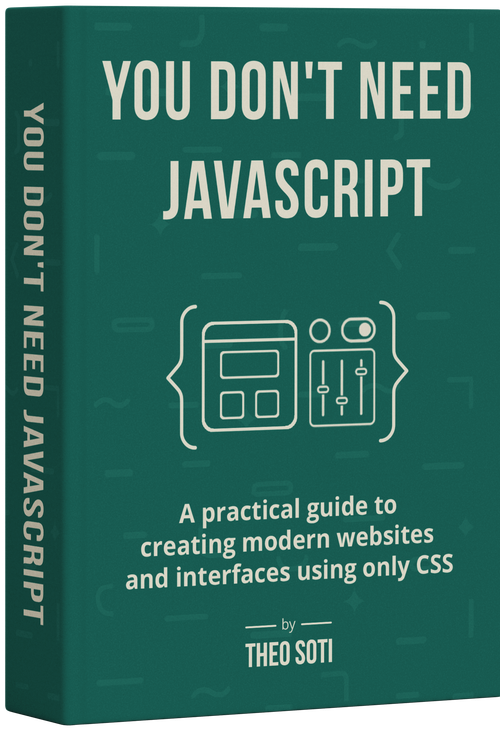
You Don't Need JavaScript

The modern HTML and CSS features this scanner looks for, explained through 27 practical examples you can use in real interfaces.

Cover of You Don't Need JavaScript See what's in the book

Find what the platform can replace.

Paste one public URL to start an evidence-backed scan.

Audit my page

Scanning

    This usually takes about 2 minutes.

    Daily limit

    You've used today's 5 audits.

    For now, each person can run up to 5 audits per day. Your access resets tomorrow.

    Need more scans or a complete audit? Email me to discuss a paid audit.

    Email Theo

    Or message me on LinkedIn.